 Offerly
Log a job in seconds
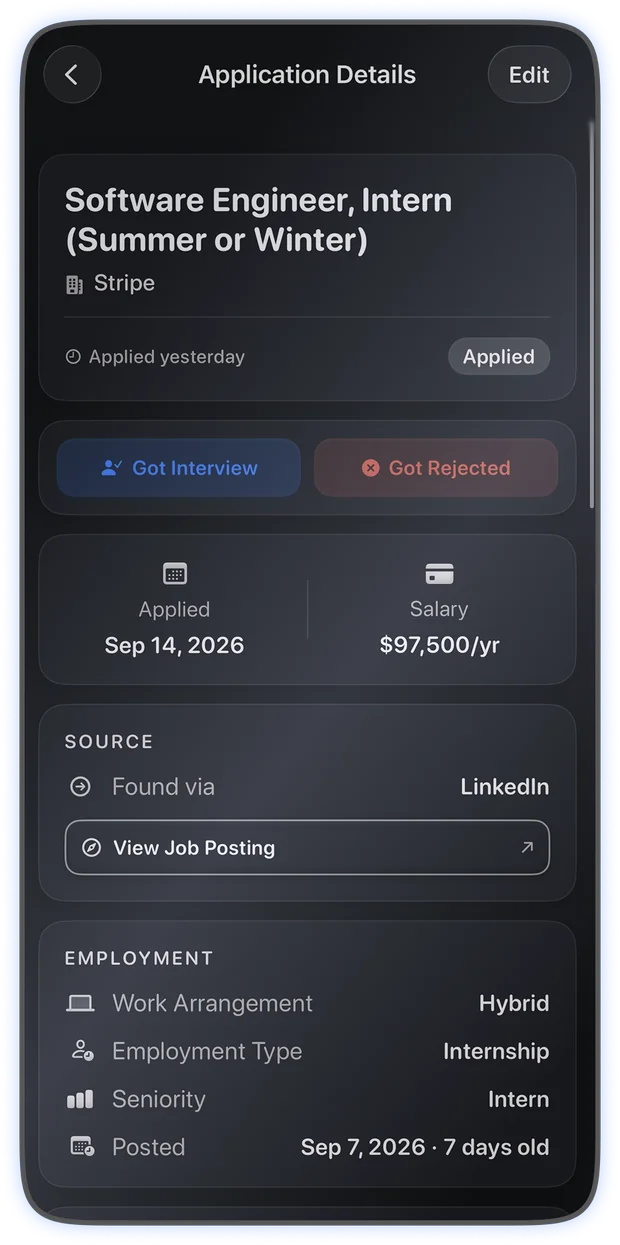
Company, role, salary, source, the link, the exact resume you sent. Paste a posting and autofill reads the whole thing for you, so the form is already filled when it opens.
Job Search Tracker for iPhone and iPad
Offerly logs every application, fills one in from a posting you paste, and reads your own numbers back to you honestly. No account to make, nothing to set up, and nothing about you sent anywhere in the background.
Free to use. Momentum unlocks the AI tools, monthly or quarterly, cancel any time.
What it does
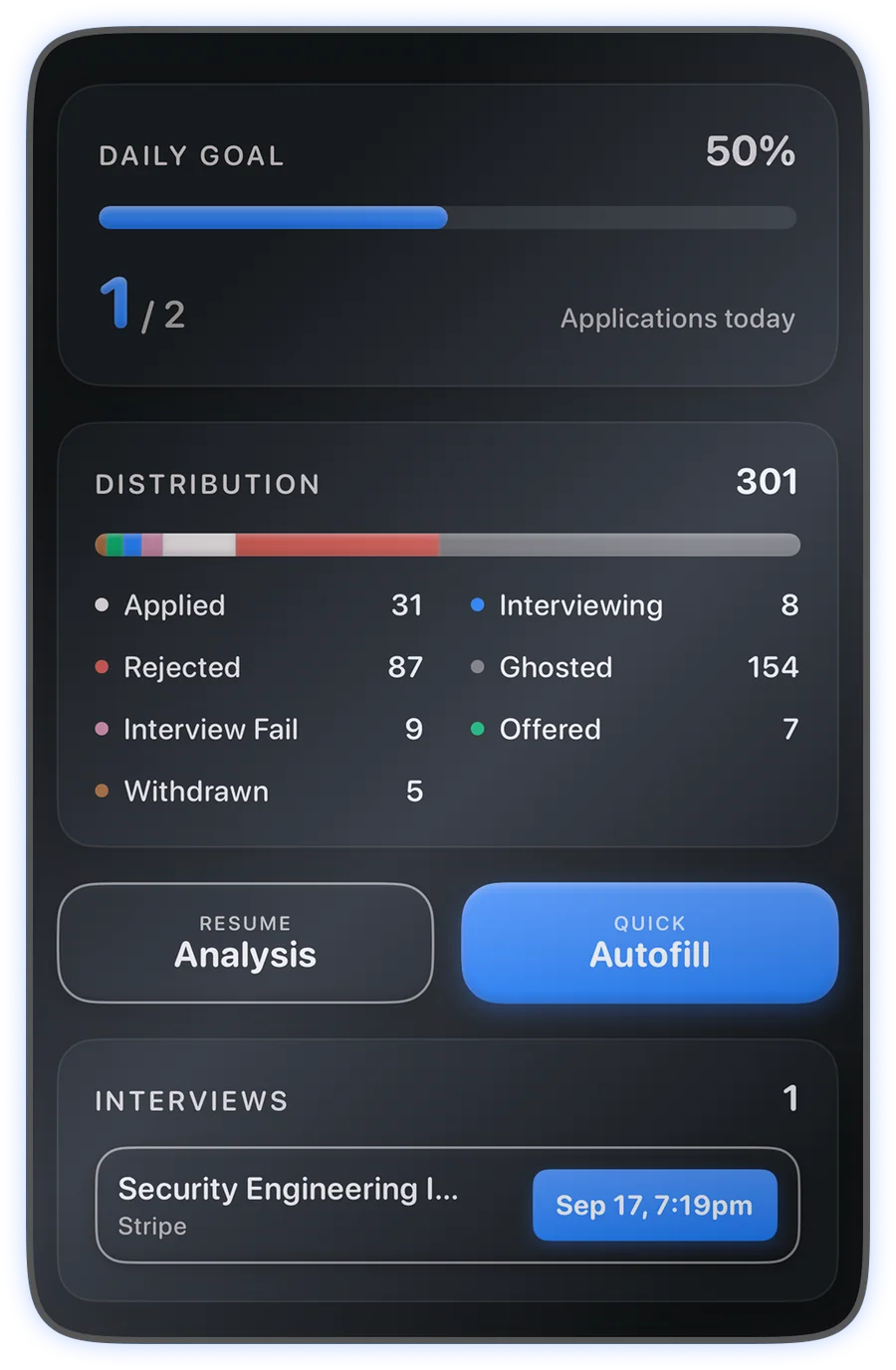
Applying is the easy half. Remembering where you applied, who went quiet, and which version of your resume you sent is the half that falls apart in a spreadsheet.
Company, role, salary, source, the link, the exact resume you sent. Paste a posting and autofill reads the whole thing for you, so the form is already filled when it opens.
Applied, interviewing, rejected, offered, withdrawn, ghosted. Anything that has gone quiet too long is marked for you, so silence stops looking like hope.
Schedule an interview with its meeting link and location, and get reminded two hours out. Follow-up prompts appear when an application has been waiting too long.
Response rate, where your interviews actually come from, how long each stage takes, and which sources waste your time. Computed on your device from what you logged.
Store the versions you send, see exactly what a parser reads out of each PDF, and attach the right one to the right application. Reading the parse costs nothing.
Everything comes out as an Excel workbook or plain CSV, created on your device. Nothing is locked in, and there is no copy of it anywhere else to ask for.
Momentum
Four tools, each one running only when you tap it. They are told to say what is weak, not to congratulate you, which is the only version of this worth paying for.
Give it a link or the description text and the company, title, seniority, salary, location, work model and posting date come back filled in. Share a job straight from Safari and it starts on its own. You correct anything it got wrong before saving, and it is told to leave a field empty rather than guess at it.
350 a month, five free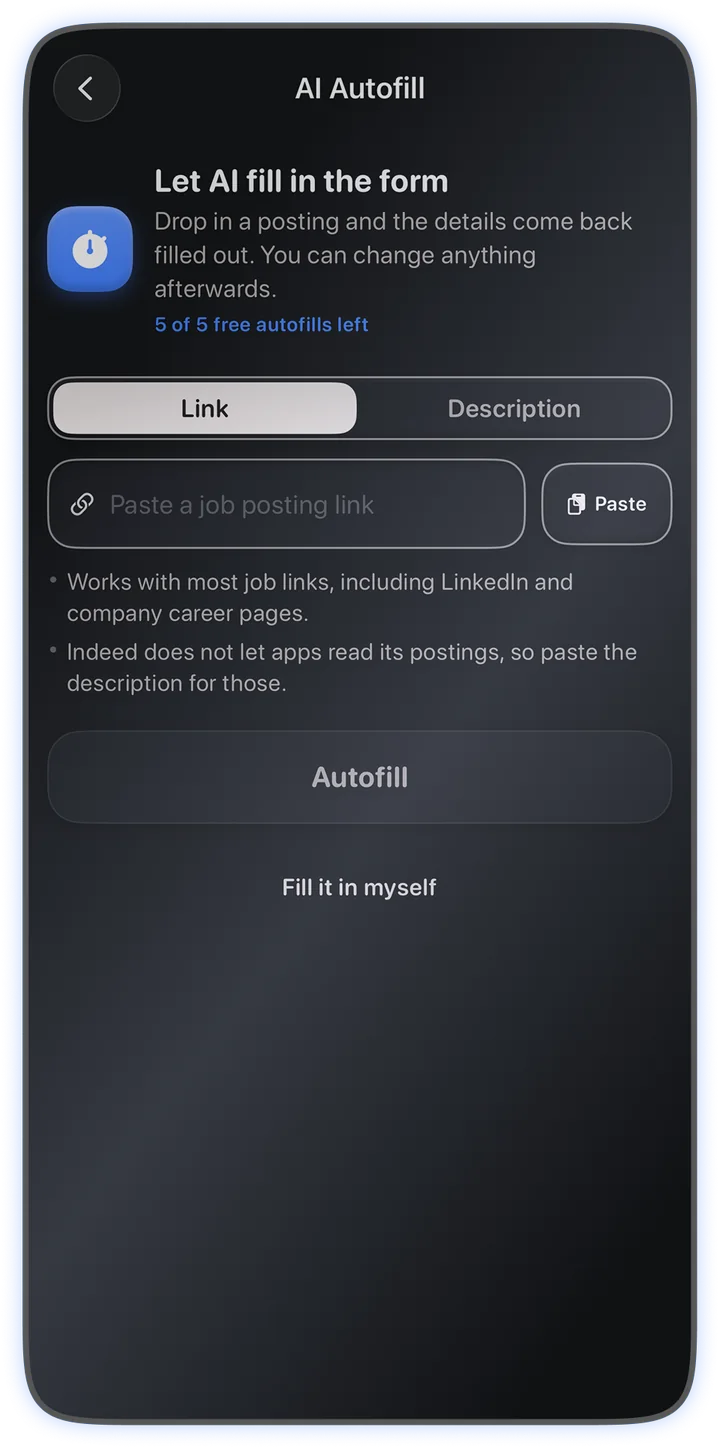
One of six verdicts, the problems worth fixing first, what a recruiter takes from the top of page one, and how the document reads to someone who screens them all day. It scores the writing, not the career: a strong background written vaguely scores below a modest one written well.
50 a month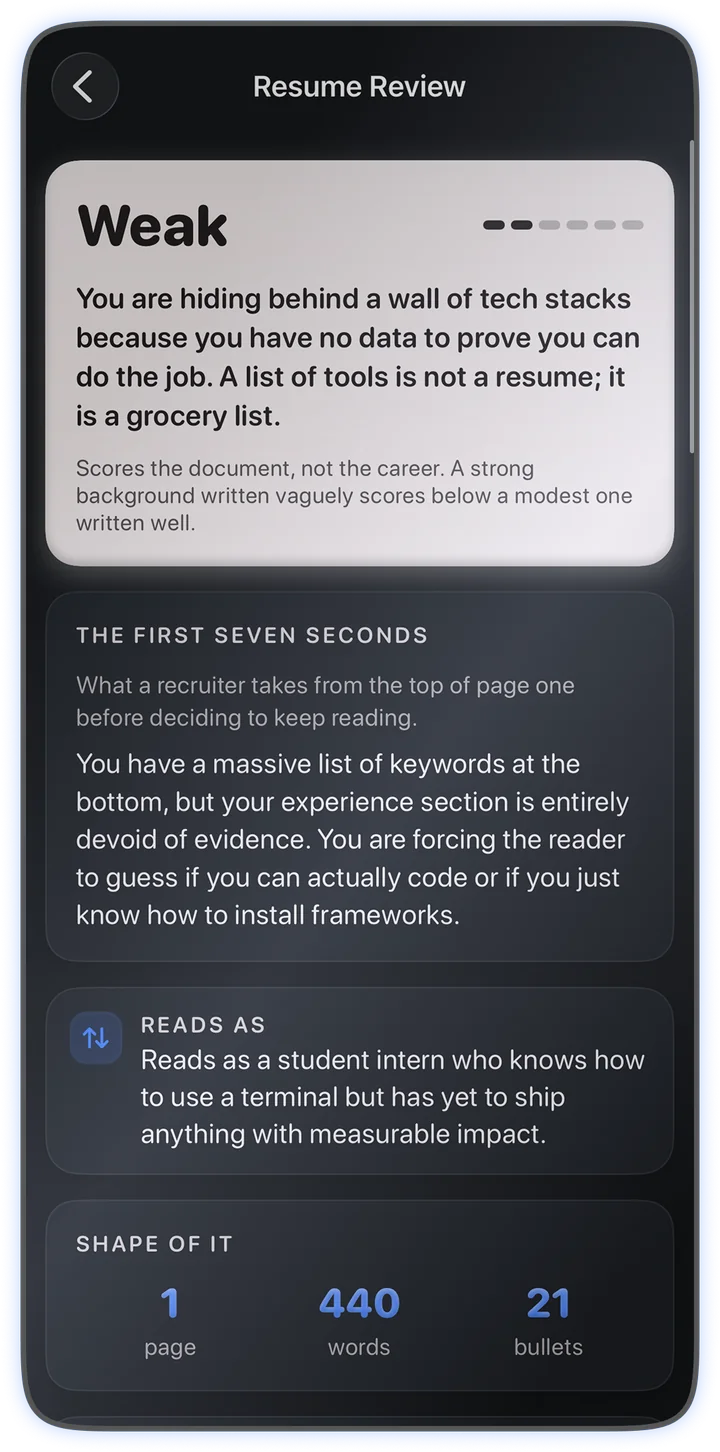
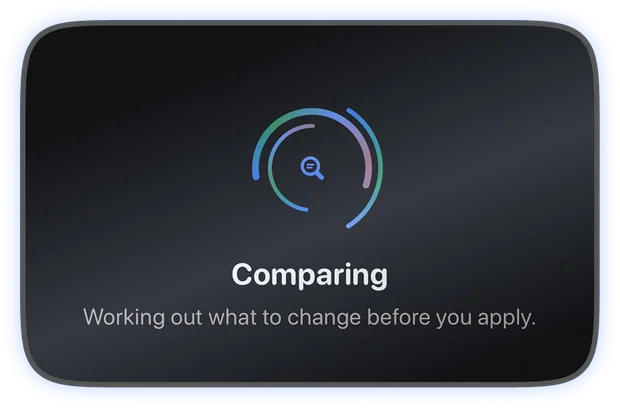
Your resume against one posting: whether the role is at your level, what lines up, what is missing and how much it matters. The screening terms are matched against your resume on your device, so that part cannot be flattered by a model trying to be encouraging.
80 a month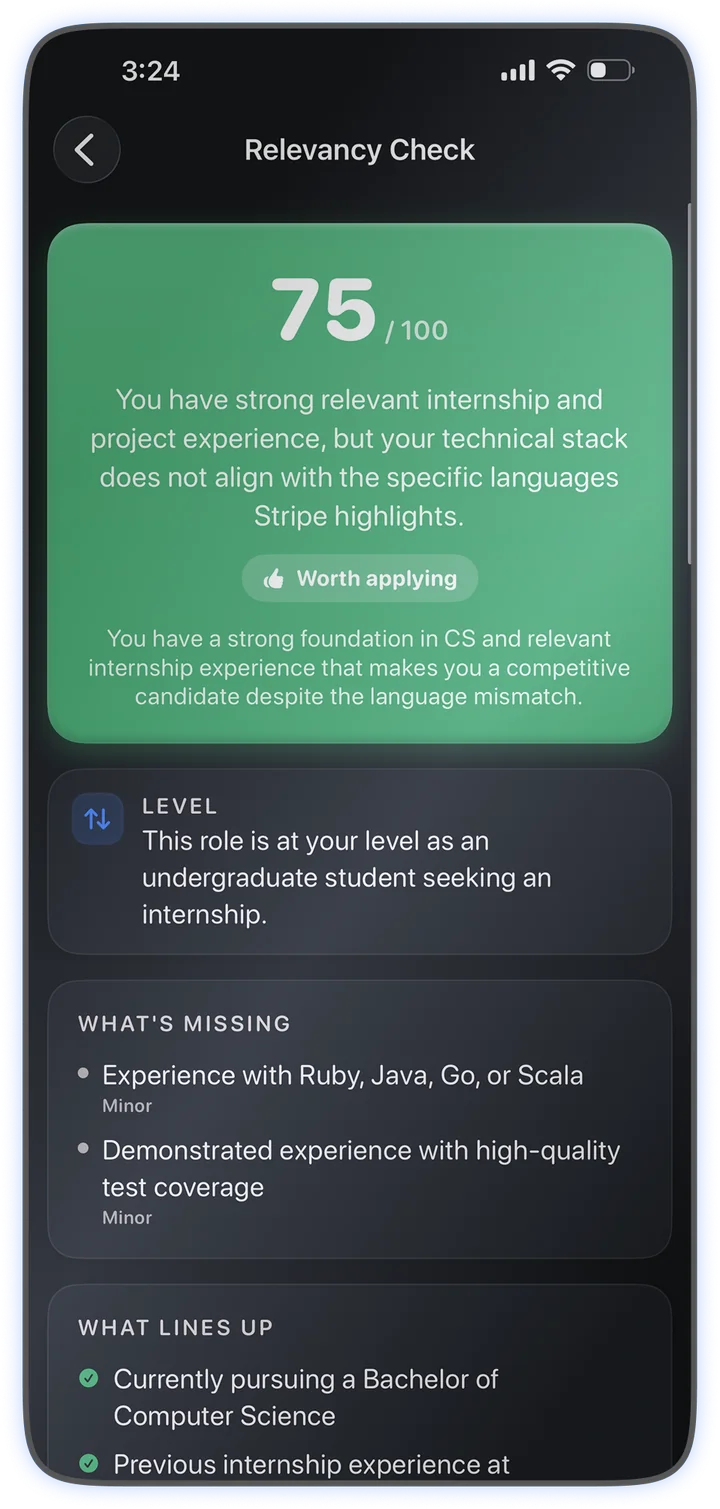
Everything else in the app is free forever: logging, statuses, interviews, reminders, analytics, resume storage, the parser preview and export. Momentum adds the four AI tools, monthly or quarterly, and cancels in one tap from your Apple Account.
Try it freeThe Analytics tab
Every figure here is counted from applications you logged. Analyze my Job Search reads the whole picture back to you five times a month; the rest is free and always on.
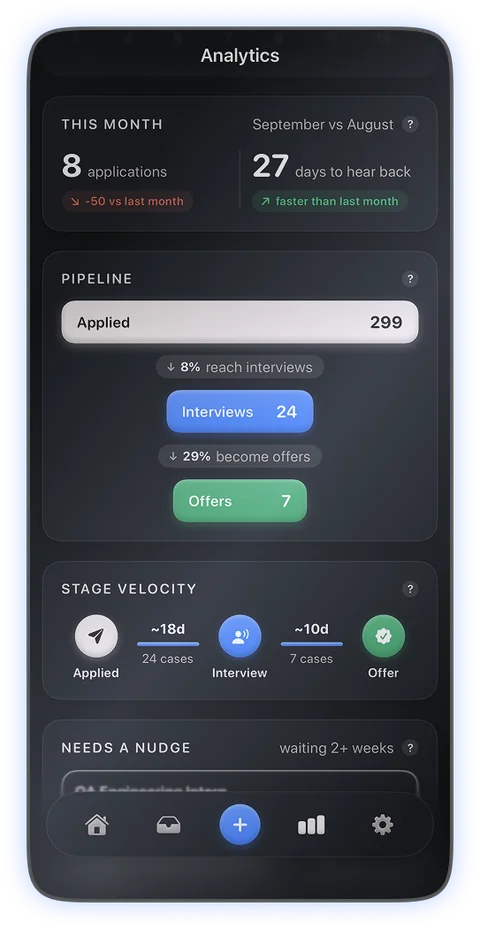
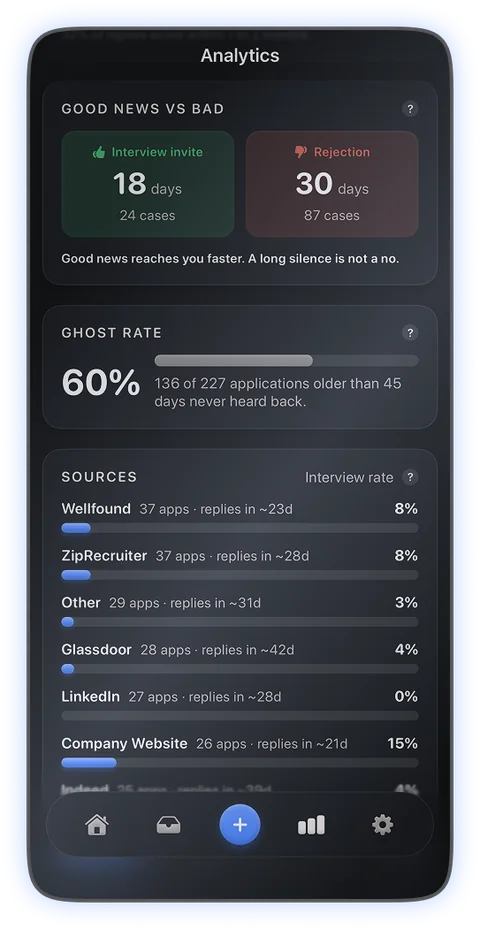
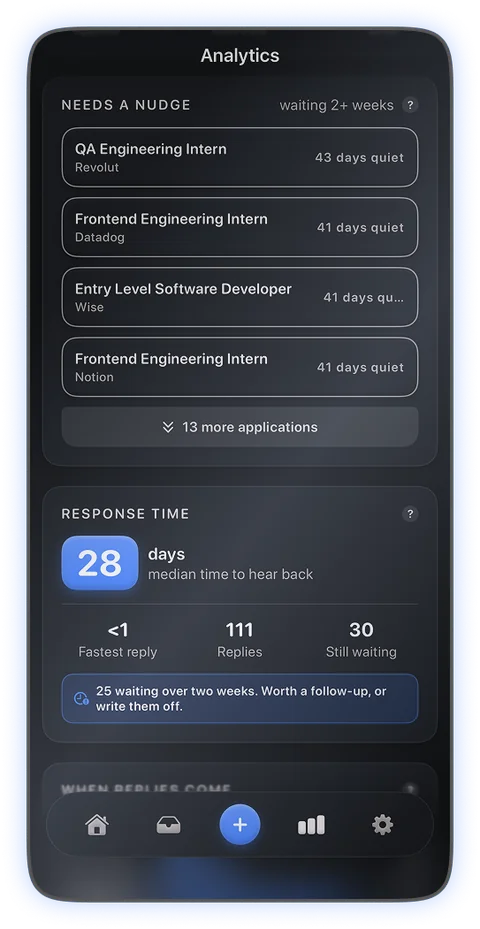
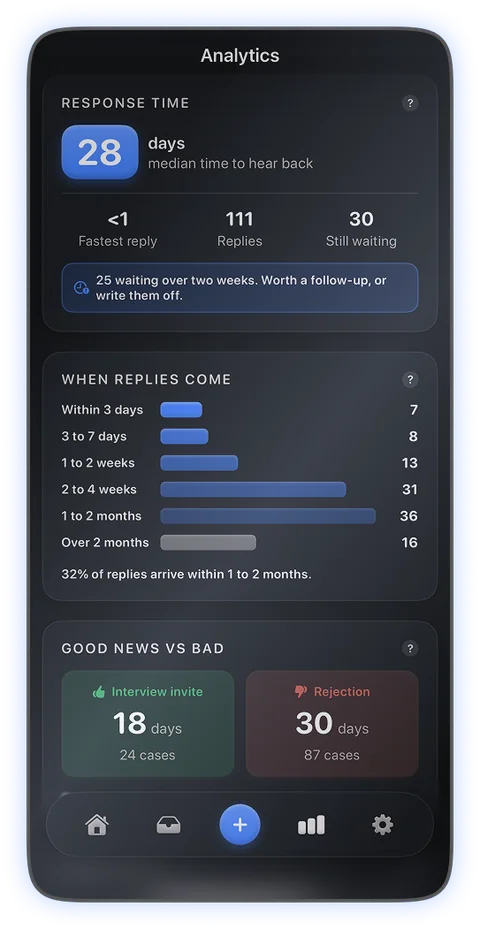
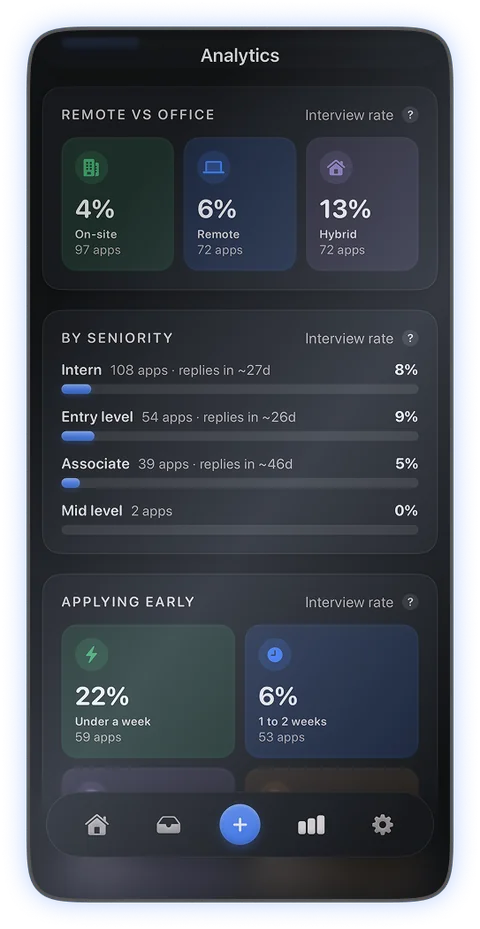
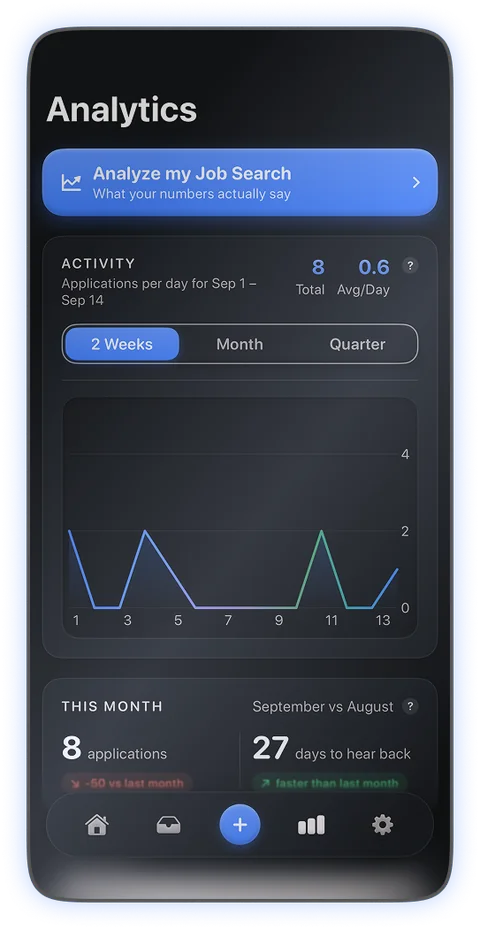
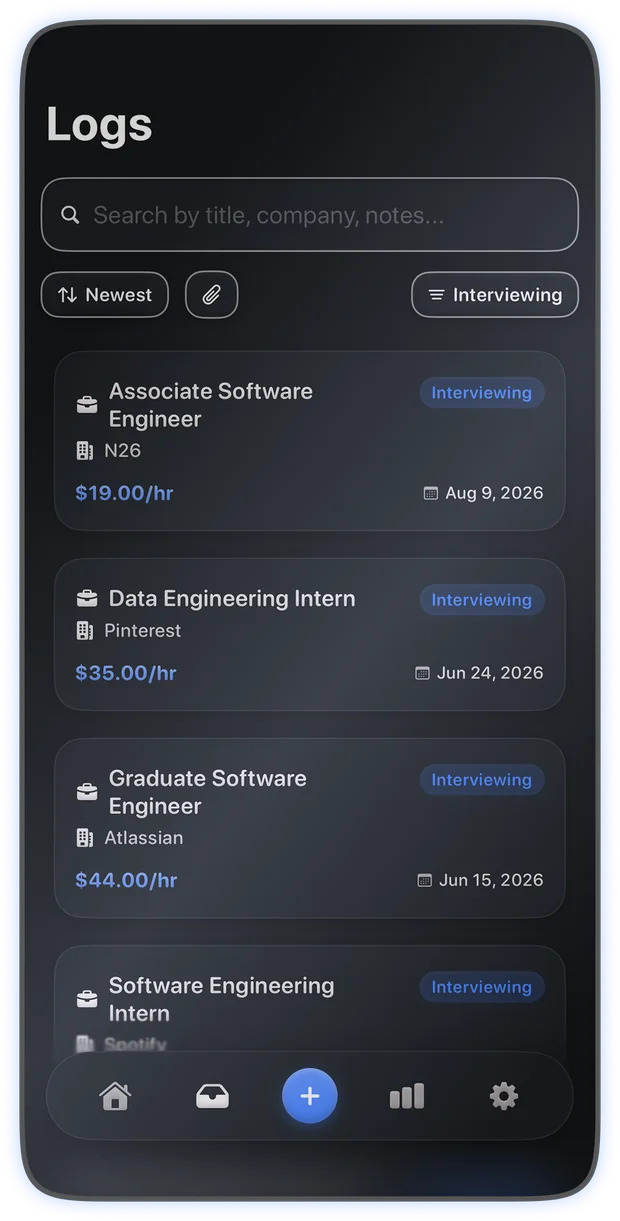
Six of these screens are in the Analytics tab. Scroll sideways.
Privacy
Offerly has no accounts, no ads and no tracking. What you type lives in a database on your device, and in your own iCloud if you switch sync on. We cannot read any of it, because there is nowhere for us to read it from.
The exception is the AI tools. When you tap one, the text it needs goes to Google to be processed and the answer comes back. Nothing about you is sent in the background.
Location is never requested. The app has no access to your camera, contacts or photos.
Questions
No. There is nothing to sign up for and no password. Open the app and start logging.
Everything except the AI tools works offline, including logging, editing, analytics, reminders and export. The AI tools need a connection because the models run on Google's side.
No. iCloud sync is a switch in Settings, off unless you turn it on. With it on, your applications follow you to your other devices through your own private iCloud database.
The PDF itself is never uploaded. When you run a tool that needs it, the text read out of that one resume is sent to be processed, and nothing else. The file stays on your device.
The tool tells you how many you have left and when the count resets, and the rest of the app carries on as normal. Allowances reset at the start of each month, and a run that fails without being processed is given back.
In the Settings app on your device, under your Apple Account, then Subscriptions. Cancelling stops the renewal and the AI tools keep working until the period you paid for ends.
Offerly is free, has no account, and keeps your job hunt where it belongs.